Buying Land From Abroad? You Can Now Walk Famyard Plots in 3D
 Eddy NdumiaHead of Technology & Digital Products, Famyard Enterprises
Last updated 7 min read
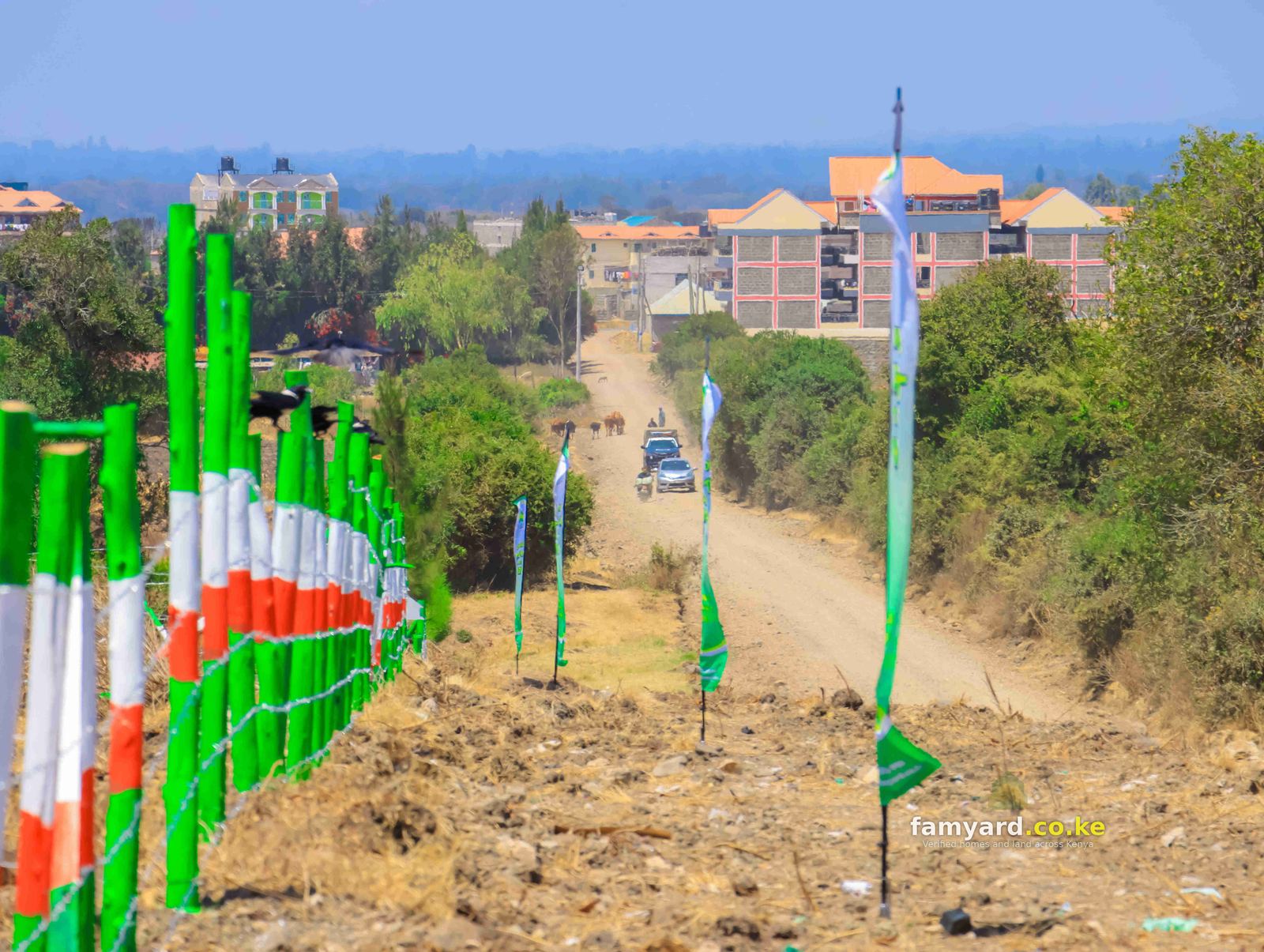
If you live in Dubai, London, Boston or even Nairobi, the hardest part of buying a plot in Nyeri or Laikipia has always been the same: you can't easily go and stand on it. Photos help, a relative's video helps, but neither tells you where your plot sits in the estate, how wide the road in front of it is, or who your neighbours will be.
So we built every estate in 3D.
Why the layout matters more than the photo
A photo of a field tells you the land is green and flat. It doesn't tell you the things that decide whether a plot is right for you, and these are the questions diaspora buyers ask us most:
- Is it a corner plot? Corner plots have two road frontages, more light and easier access, and they usually sell first.
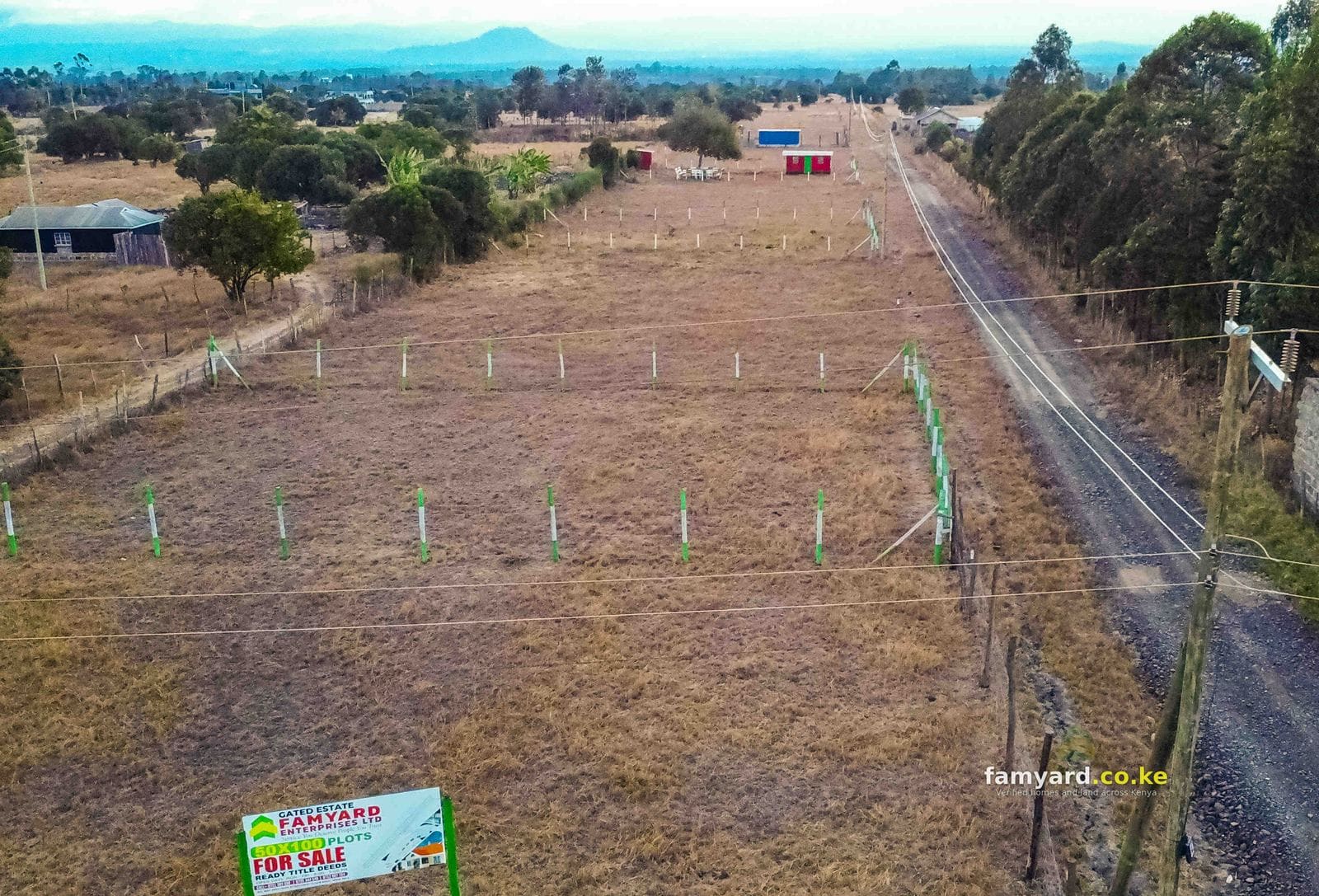
- How far is it from the main road? A plot by the tarmac is good for a shop or rentals. A plot deeper inside the estate is quieter and better for a family home.
- Which way does it face? Morning sun, the view of Mount Kenya or the Aberdares, and where the wind comes from all matter when you plan a house.
- What is next to it? Another plot, a farm, a hedge, a river reserve or a road reserve each change how you can use the land.
- How wide is the access road? A 9 m road takes a lorry with building materials. A narrow lane can make construction harder and slower.
In the past we answered these questions over the phone with a printed plan and a lot of description. Now you can see the answers yourself, in your own time, from wherever you are.
What the 3D estate shows
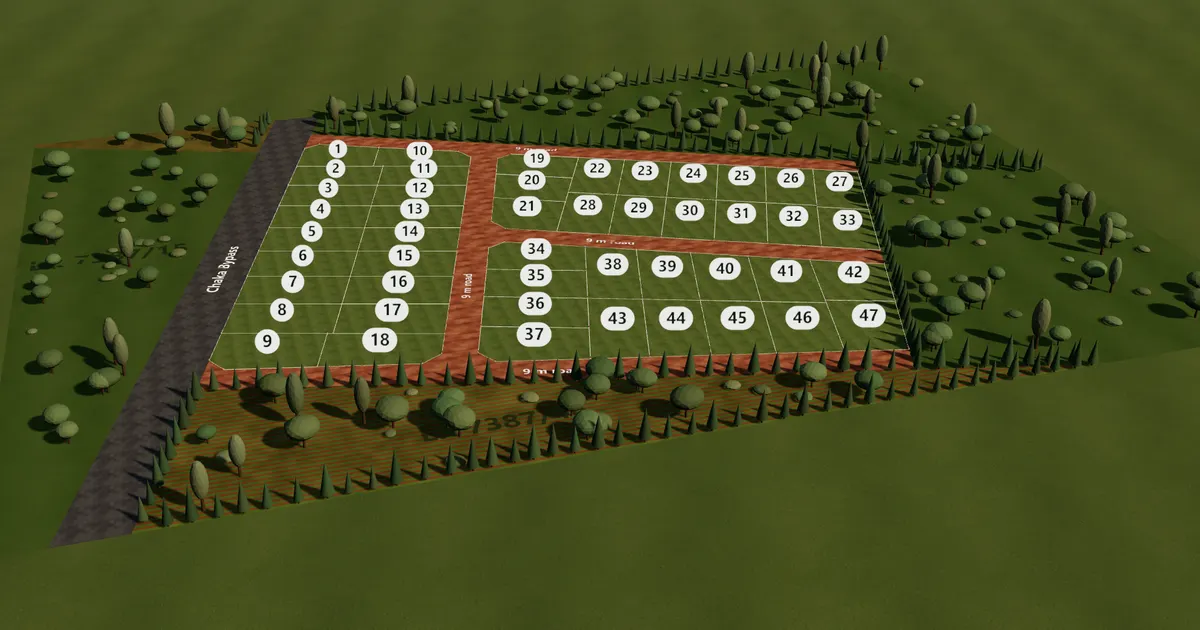
Each model is drawn from the estate's survey plan, so it is to scale, not an artist's impression.
- Every plot with its number, in the right place and the right shape.
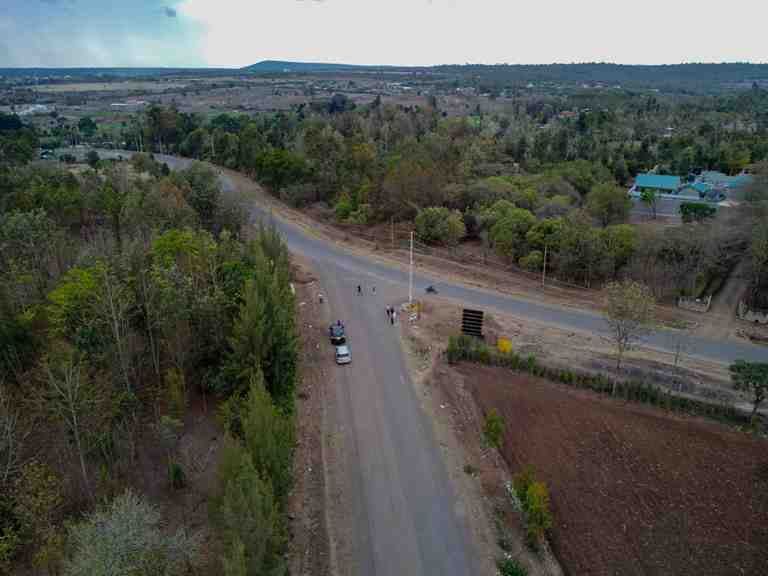
- The roads by name and width, for example the 9 m murram roads inside Chaka Lane 15 and the tarmac of the Chaka Bypass along its edge.
- The beacons at every corner, shown as small white posts with red tops, the way you would find them on the ground.
- The land around the estate: neighbouring farms, hedges and trees, so you get a feel for the area.
- Which plots are still available. Green plots are free, amber are reserved and grey are sold. This comes straight from our office records, so it changes the moment a plot is booked.
How to use it
Open any estate from our properties page and scroll to Estate plan in 3D.
- Turn and zoom. Drag to turn the estate, pinch or scroll to zoom.
- Tap a plot. You get its size in square metres and the length of each side in metres.
- Find a plot. Already have a plot number in mind? Pick it from Find a plot and the model flies to it.
- Top. Shows the estate from straight above, like the printed plan, which is handy when comparing two plots.
- Walk. Drops you to eye level on the road. Drag to look around and tap the ground to walk there. This is the closest thing to a site visit without travelling.
- Tour. Flies from one available plot to the next, with the sound of the countryside if you turn it on.
- Ask about it. The WhatsApp button on the plot card sends us a message with the plot number and estate already filled in.
It works on an ordinary phone. The model only loads when you scroll to it, so it doesn't slow the rest of the page.
Comparing two plots in 3D
Most buyers narrow their choice down to two or three plots. Here is a simple way to compare them on the model before you call us:
- Open the estate and tap the first plot. Note its size and the length of each side. A plot that is wide at the front gives you more room for a gate, parking and a garden.
- Switch to Top. Look at where the plot sits against the roads and the estate boundary. Plots on the edge often border a farm or a hedge, which some buyers like for privacy.
- Walk the road in front of it. At eye level you see what you would see standing at the gate: the neighbouring plots, the trees and the open land beyond.
- Repeat for the second plot, then send both plot numbers to us on WhatsApp. We will tell you what the 3D can't: the soil, how the land drains after rain, and how far the nearest power line and water point are.
Write the plot numbers down. They are how we identify plots on the sale agreement and the title, so using them from the start avoids any mix-up later.
Estates you can walk in 3D today
The first estates with full 3D plans are in Nyeri County, in Chaka, Kangaita, Mweiga (Kanyagia), Naru Moru, Tetu and Wiyumiririe. More are being drawn from their survey plans, and each one appears on its estate page as soon as it is ready. If the estate you are interested in doesn't have one yet, ask us for the survey plan and a video walk-through in the meantime.
What 3D can't replace
A model tells you where a plot is and what is around it. It doesn't replace the checks every buyer should do, wherever they live:
- A land search on the title, done by your own advocate.
- Someone you trust on the ground. Many diaspora buyers send a relative to the free site visit while they follow on a video call.
- The registered survey. The 3D plan is drawn from the survey plan, but the registered survey is final.
- Safe payments to the accounts in the sale agreement, with a receipt for each one.
Our guide on how to buy land in Kenya remotely without getting scammed goes through each step, and power of attorney for diaspora buyers covers signing from abroad.
What happens after you choose
Choosing the plot is the first step. This is the usual path for a buyer abroad once they have picked a plot in 3D:
- Reserve it. Call or WhatsApp us with the plot number. We confirm it is free and hold it for you while you arrange the next steps.
- See it live. A video walk-through with our team on site, or a free site visit for someone you trust.
- Check the documents. Your advocate runs a land search and reviews the sale agreement before you pay anything substantial.
- Sign. In person, at a Kenyan embassy or consulate, or through a registered power of attorney.
- Pay and get receipts. Each payment goes to the accounts named in the sale agreement, and you get a receipt for every one.
- Transfer and title. We take care of the transfer process and keep you updated until the title deed is ready.
Book a video walk-through
Found a plot you like in 3D? Send us its number on WhatsApp and we will walk it with you on a video call: the beacons, the road, the view, the neighbours. If you would rather someone stands there for you, we can take your relative or friend on a free site visit from our office.
Frequently asked questions
Which estates have a 3D plan?
Every estate with a digital survey plan. More are added as each new survey comes in. Look for Estate plan in 3D on the estate's page.
Is the 3D plan accurate?
It is drawn to scale from the survey plan, so plot shapes, sizes and road widths match it. Small differences are possible, and the registered survey is always final.
Does the plot colour mean I can reserve it?
Green means it was free when the page last updated. Call or WhatsApp us to confirm and reserve it, because plots can be booked at any time.
Can I buy without visiting at all?
Many of our buyers abroad do. They use the 3D plan to choose, a video walk-through or a trusted relative to see it, their own advocate for the search, and a power of attorney or embassy signing for the documents.
Do I need to download an app?
No. The 3D plan runs in your phone's web browser on the estate's page. There is nothing to install and no account to create.
Can my family see the same plot?
Yes. Send them the estate page link and the plot number. They open the same 3D plan, pick the number from Find a plot, and you are both looking at the same plot.
Can I pay from abroad?
Yes, by bank transfer to the accounts in the sale agreement, and now also in Bitcoin or USDT.
Start with the estates
Browse plots for sale, read our diaspora buyers page, or call or WhatsApp Famyard Enterprises on +254 119 222666 for a video walk-through of any plot.